

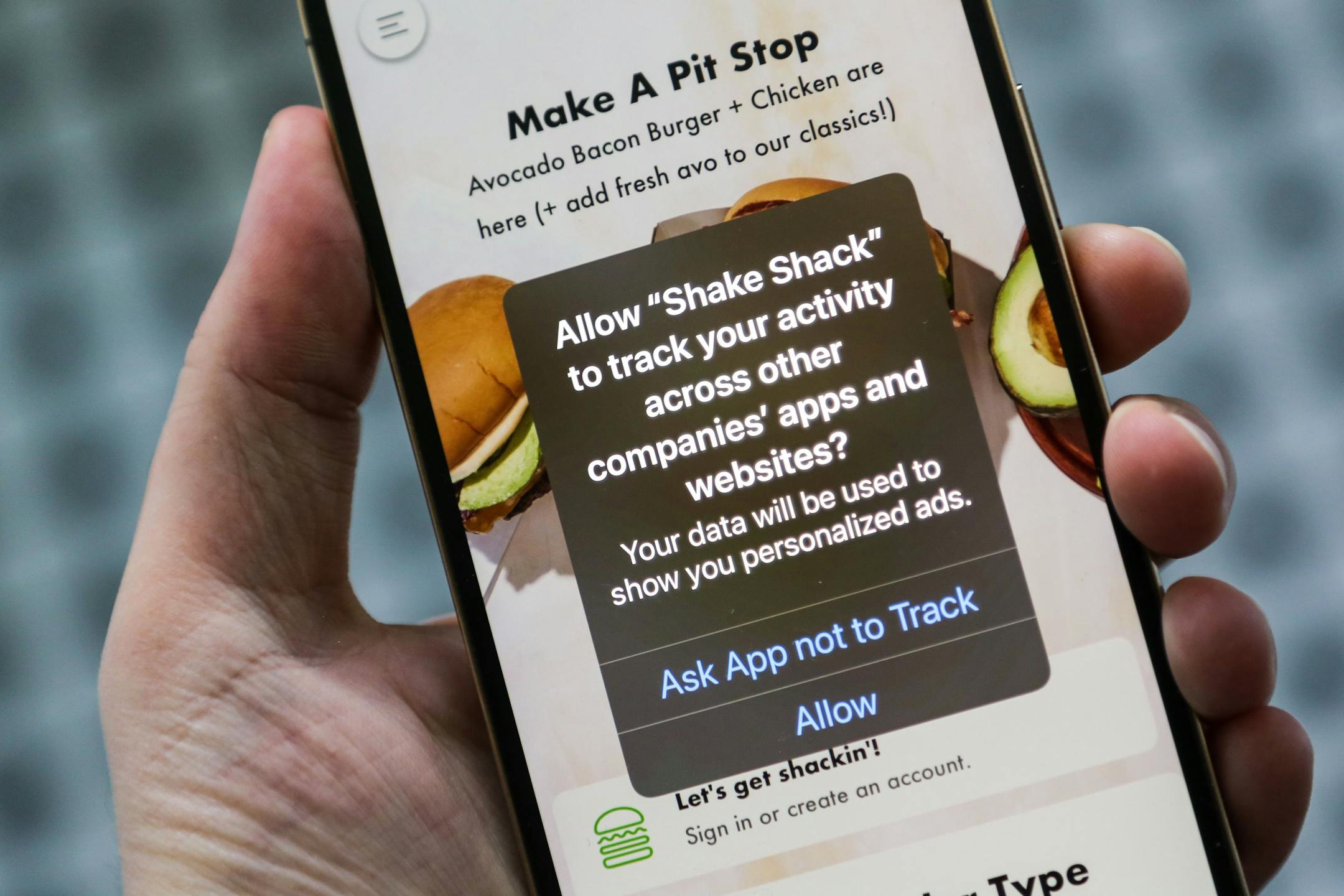
If you haven't already, you'll see a surprising message pop up on your iPhone from Facebook in the next few weeks: Do you give it permission to track you?
To make your iPhone more private, tap "Ask App not to Track."
Do not tap "Allow," unless you love creepy online ads.
To prevent this same pop-up from appearing for lots of different apps - and to limit some of the other digital tracking in your life - you also should change two settings right now. I have instructions below.
What's going on? With a software update that arrived this week called iOS 14.5 and iPadOS 14.5, Apple is finally forcing apps to come clean about a kind of surveillance they've been conducting on us for the past decade. Behind the scenes, apps can probe your phone for personal information that helps them target you with ads or even sell data about you to others. Now marketers and data brokers can't access a valuable way to identify your phone unless you explicitly say it's OK.
Some apps, such as The Sims, Venmo and Shake Shack have been seeking permission to track for a few weeks now. Facebook and its sister app Instagram began asking permission on Monday and the company says it will roll out the pop up - and a screen arguing why you should allow it to track - over the next few weeks.
Facebook and other apps that make money by collecting our data and showing us hyper-targeted ads aren't happy about having to ask permission. Mark Zuckerberg and friends have deluded themselves into thinking people enjoy feeling as though Facebook is eavesdropping on their conversations. (It doesn't really need to because it's already spying on our apps and websites.)
I think Apple should have gone even further, making "Don't track me" the default for everyone. But even if the new pop-ups are more work and more confusing than they ought to be, this is still a win for our privacy.

